Сustom Colors

Custom colors are now available! Instead of relying only on the standard GanttPRO palette, you can now create your own colors and reuse them across all projects in your account.
Use custom colors for:
- task colors;
- Label and Color custom fields;
- virtual resources;
- bulk editing.
How to create a custom color
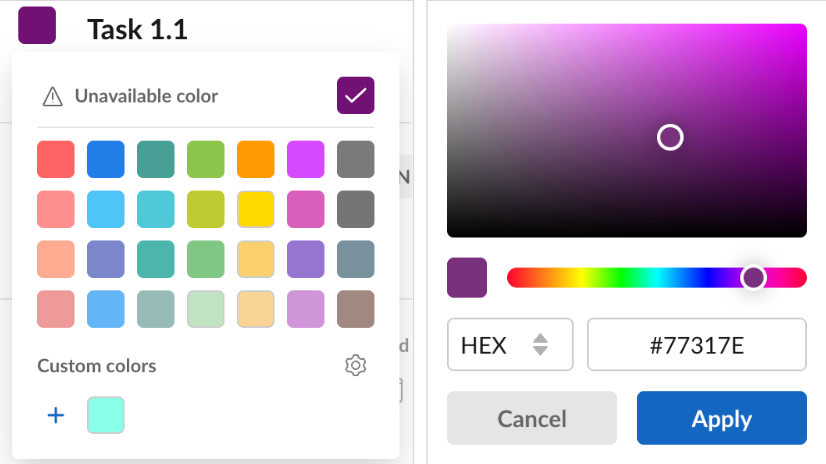
Open the color picker and click + under Custom colors. From there, you can:
- choose a color from the spectrum;
- adjust it with the hue slider;
- enter a specific HEX or RGB value.
Once you click Apply, the new color is added to your account palette and assigned to the selected item. It will then remain available for use in other projects as well.
You can also edit your custom palette and remove colors you no longer need.
Custom colors are now available during the trial period and on the Advanced, Business and Enterprise plans.